You can place a test order for your shipping products. This will ensure that the shipping process you have set up actually works.
To do this, make a test purchase for one of your shipping products. You can find detailed information on how to carry out a test purchase here: Make a test purchase.
Depending on how you have set up your shipping process, please note the following information:
- If you use the Digistore24 back office for your shipping process ( Reports > Shipping ):
In the menu Reports > Shipping you can filter for test orders and thus distinguish them from real orders. To do this, set the filter in the search field under Type of order to Test order.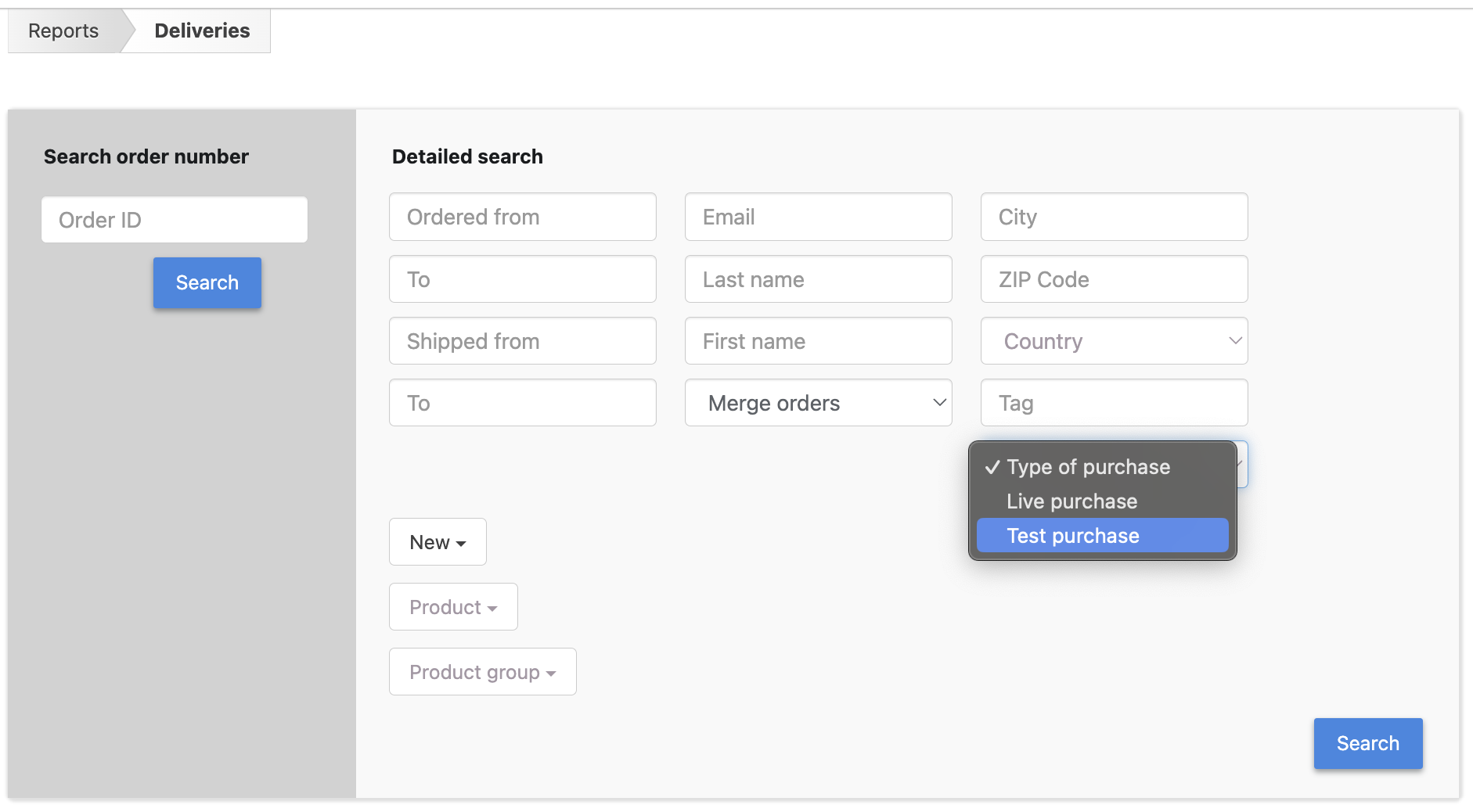
- If you use an IPN connection for your shipping process (e.g. Shopify, ShipStation or Vareya):
When setting up the IPN connection under Settings > Integrations (IPN) configuration configuration you must set the field Deliver test orders to Yes. Otherwise the test order will not be transferred to the target system of the IPN connection.
- If you use the Digistore24 API for your shipping process (see Delivery workflow):
With the function listDeliveries() theis_test_orderfield shows whether it is a test order. Test orders are marked withis_test_order = Y.